TOTW

< Back to Dorkinians Website

Table of Contents

Overview

The TOTW (Team of the Week) section displays the best performing players each week and monthly award winners. This section celebrates outstanding individual performances and provides a visual representation of the week's best XI.

info

Team of the Week is calculated based on fantasy points earned in each match, with the highest-scoring players in each position selected for the team.

[Image: TOTW Page Screenshot]

Back to Table of Contents

The TOTW section has two main sub-pages:

  • Team of the Week: Weekly best XI with visual pitch display
  • Players of the Month: Monthly player awards

You can navigate between these sub-pages by:

  • Tapping the sub-page indicators (dots) at the top
  • Swiping left or right on mobile devices
  • Using the navigation menu

Back to Table of Contents

Team of the Week

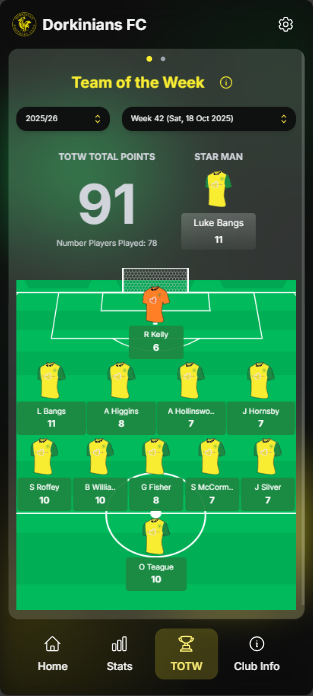
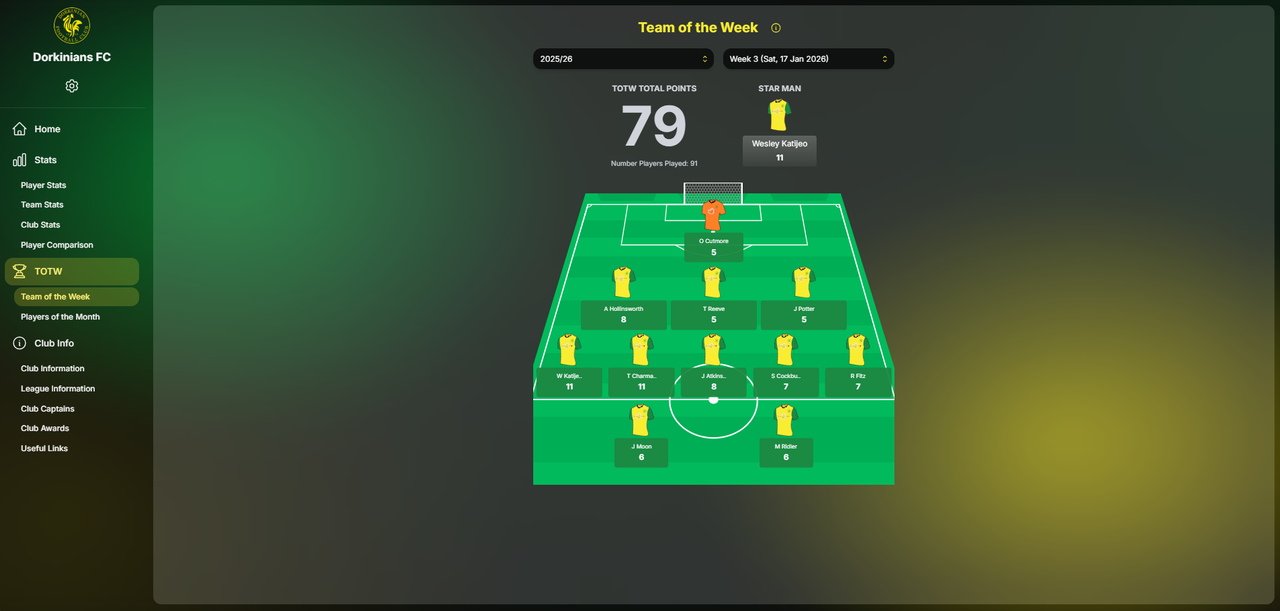
The Team of the Week displays the best performing players from each week, arranged in a visual football pitch formation.

Season and Week Selection

To view a specific Team of the Week:

  1. Select a Season: Use the season dropdown to choose which season to view

    • Options include individual seasons (e.g., "2024/25") or "All Time"
    • The current season is typically selected by default
  2. Select a Week: Once a season is selected, use the week dropdown to choose a specific week

    • Weeks are numbered sequentially throughout the season
    • The most recent week is typically selected by default
tip

If no week is available for the selected season, it means no matches were played that week or the data hasn't been processed yet.

[Image: Season and Week Selection Screenshot]

Back to Table of Contents

Pitch Visualization

The Team of the Week is displayed on a visual football pitch with players positioned in their respective roles:

  • Goalkeeper: Positioned in goal
  • Defenders: Positioned in the defensive line (typically 4 defenders)
  • Midfielders: Positioned in the midfield (typically 4 midfielders)
  • Forwards: Positioned in the attacking line (typically 2 forwards)

Each player is displayed with:

  • Player name
  • Fantasy points earned that week
  • Position indicator
  • Kit visualization
info

The formation may vary slightly depending on the actual best-performing players and their positions for that week.

[Image: Pitch Visualization Screenshot]

Back to Table of Contents

Player Details

To view detailed statistics for a player in the Team of the Week:

  1. Tap on a Player: Tap any player on the pitch to open their detailed statistics modal

  2. View Match Details: The modal displays:

    • Player's total appearances
    • Match result for that week
    • Detailed breakdown of statistics for that match:
      • Minutes played
      • Man of the Match
      • Goals scored
      • Assists provided
      • Clean sheets
      • Goals conceded
      • Yellow cards
      • Red cards
      • Saves (for goalkeepers)
      • Own goals
      • Penalties scored/missed/conceded/saved
    • Points breakdown showing how many fantasy points each statistic earned
    • Total fantasy points for the match
  3. Close Modal: Tap outside the modal or use the close button to return to the pitch view

tip

Use the player details modal to understand exactly how each player earned their fantasy points and why they were selected for Team of the Week.

[Image: Player Details Modal Screenshot]

Back to Table of Contents

Star Man

The Star Man is the highest-scoring player in the Team of the Week, displayed prominently at the top of the pitch visualization.

Star Man Features:

  • Highlighted display with special styling
  • Highest fantasy points total for that week
  • Featured position at the top of the pitch

The Star Man represents the best individual performance of the week across all players and positions.

[Image: Star Man Screenshot]

Back to Table of Contents

Points System

The Team of the Week is selected based on a fantasy points system. Points are awarded for various actions:

ActionPoints
AppearanceBase points
Minutes PlayedPoints per minute
Man of the MatchBonus points
Goal ScoredPoints per goal
AssistPoints per assist
Clean SheetPoints (defenders/goalkeepers)
Goal ConcededNegative points (defenders/goalkeepers)
Yellow CardNegative points
Red CardNegative points
SavePoints (goalkeepers)
Own GoalNegative points
Penalty ScoredPoints
Penalty MissedNegative points
Penalty ConcededNegative points
Penalty SavedPoints (goalkeepers)
info

The exact point values may vary, but the system rewards positive contributions (goals, assists, clean sheets) and penalizes negative actions (cards, goals conceded, own goals).

The player with the highest total fantasy points in each position is selected for the Team of the Week.

Back to Table of Contents

Players of the Month

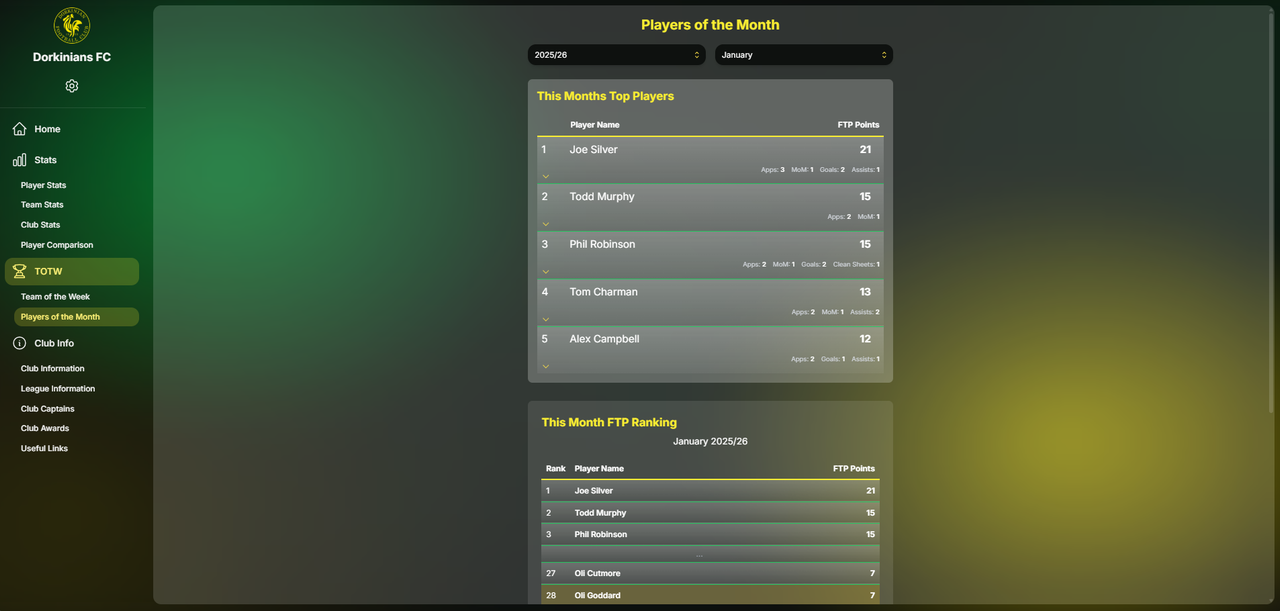
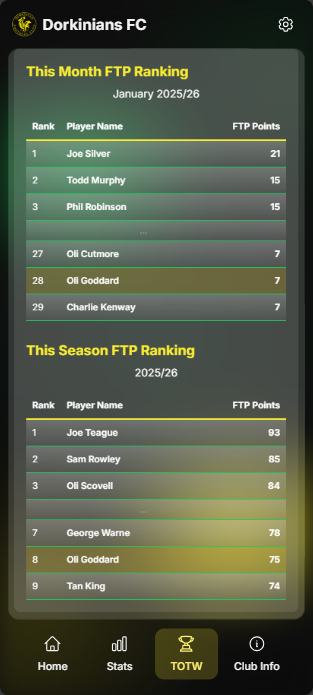
The Players of the Month section displays monthly award winners who have achieved outstanding performance over a calendar month.
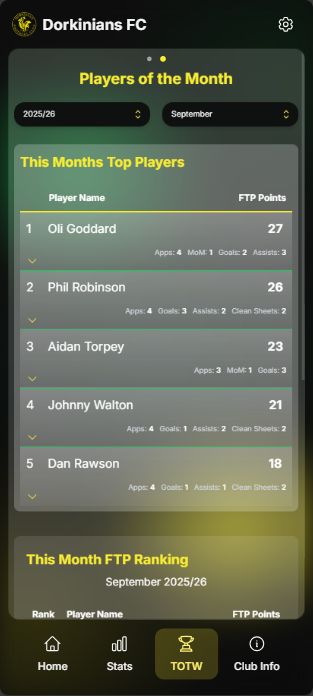
Monthly Awards

Players of the Month are selected based on their performance throughout a specific month, considering:

  • Total fantasy points earned in that month
  • Consistency of performance
  • Impact on team results
  • Notable achievements or milestones

Viewing Monthly Awards:

  1. Navigate to the Players of the Month sub-page
  2. Select a month and year (or season) from the dropdown
  3. View the award winner(s) for that month

Each monthly award winner is displayed with:

  • Player name
  • Month and year of the award
  • Key statistics for that month
  • Fantasy points total for the month
tip

Players of the Month often correlate with players who appeared multiple times in Team of the Week during that month.

[Image: Players of the Month Screenshot]

Back to Table of Contents

Historical Winners

The Players of the Month section allows you to browse historical award winners:

  • Navigate Through Months: Use the month/year selector to view winners from different time periods
  • View Statistics: See the statistics that earned each player their monthly award
  • Compare Months: Compare award winners across different months to see patterns and standout performers
info

Historical data is available for all months where matches were played and statistics were recorded.

[Image: Historical Winners Screenshot]

Back to Table of Contents

Tips and Tricks

  1. Check Weekly: Visit the Team of the Week regularly to see the best performers from each week's matches

  2. Explore Player Details: Tap on players to see exactly how they earned their selection - this helps understand what makes a great performance

  3. Compare Weeks: Switch between different weeks to see how team composition and individual performances vary

  4. Track Monthly Winners: Check the Players of the Month section to identify consistently high-performing players

  5. Understand the System: Familiarize yourself with the points system to understand what actions contribute most to Team of the Week selection

  6. Star Man Recognition: Pay attention to the Star Man - they represent the single best performance of the week

warning

Team of the Week is based on fantasy points, which may not always align with subjective assessments of performance. The system is objective and data-driven.

Back to Table of Contents